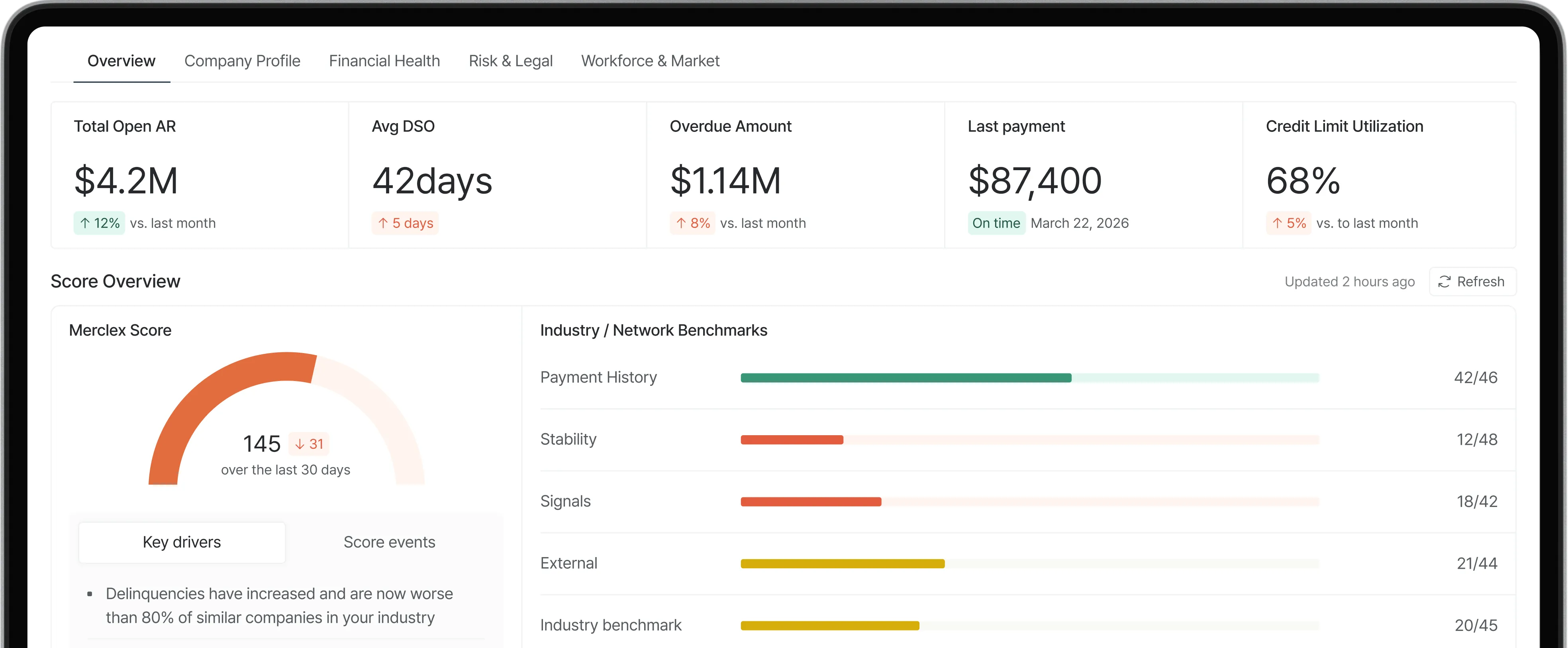
• Run the detection workflow weekly on your top 20 accounts and monthly on the rest: AR aging review, news scan, LinkedIn check, and public records search.
• No single source confirms trouble. Cross-check at least two sources before changing terms or limits.
• The cheapest detection setup uses free tools (Google News, LinkedIn, Secretary of State sites) plus your own AR aging. Paid platforms add speed and synthesis.
• Distinguish three stages: financial stress (managed), financial distress (acting now), and pre-failure (urgent). Each warrants a different response.
Direct Answer
Telling whether a B2B customer is in financial trouble is a detection workflow, not a single check. The workflow has three parts: scan your own data (AR aging, payment behavior, dispute patterns), scan public data (news, LinkedIn, court filings, UCC records), and synthesize across both.
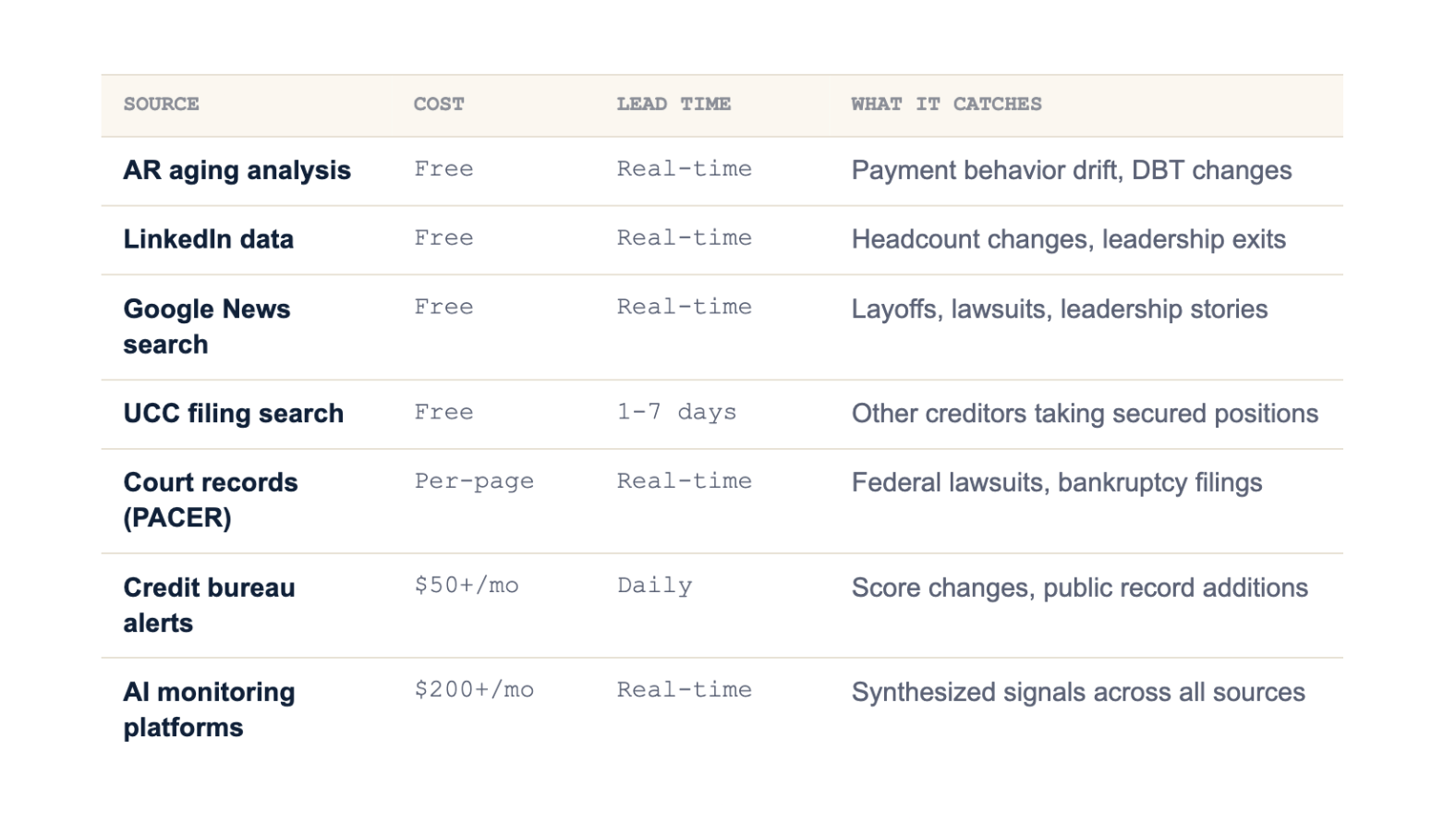
The most reliable approach is layered. Start with your own AR data because it's free, immediate, and specific to the customer-vendor relationship. Layer on free public sources (news search, LinkedIn headcount, Secretary of State UCC search) for context. For larger portfolios, add paid platforms that automate the public data collection and synthesize signals across sources.
Crucially, financial trouble exists on a spectrum. Mild stress (payment slipping a few days, mixed news, small headcount shift) calls for a watchlist entry. Genuine distress (sustained payment drift, hard signals, leadership changes) calls for action on terms. Pre-failure (multiple lagging indicators present at once) calls for protective action regardless of relationship history.
Quick Comparison: Detection Sources by Cost and Speed
Key Definitions
• Financial stress: Early-stage trouble. Payment timing slips a few days, mixed news appears, headcount moves slightly. The customer is still operating normally but warrants closer watching.
• Financial distress: Confirmed trouble. Sustained payment drift, hard public signals (lawsuits, UCC filings), measurable workforce contraction. The customer is operating but their cash position is clearly weakening.
• Pre-failure: Imminent risk. Multiple lagging indicators present simultaneously (going concern note, missed earnings guidance, executive departures, UCC blanket liens). Often the last 30 to 90 days before bankruptcy or default.
• Days Beyond Terms (DBT): Average days a customer pays past stated terms. The most actionable single number for detecting payment-based trouble.
• Cross-confirmation: Validating a signal from one source against a second, independent source. Single-source signals are noise; cross-confirmed signals are evidence.
Step-by-Step: The Detection Workflow
1. Pull AR aging and calculate DBT for your top 20 accounts. Flag any account where DBT has increased by 5+ days month over month for three consecutive months. This is your starting watchlist.
2. Search the customer's name plus terms like "layoffs," "lawsuit," "restructuring," or "default" on Google News. Add the customer's domain to a Google Alert for ongoing coverage. Takes 5 minutes per account.
3. Check LinkedIn headcount. Look at the company page, scroll to "Insights," and check the headcount trend over 6 to 12 months. Drops of 10%+ in 60 days are a hard signal. Leadership departures (CFO, COO) without named replacements warrant immediate attention.
4. Run a UCC filing search on your state Secretary of State website. Look for new filings (blanket liens especially) in the last 90 days. Other creditors taking secured positions on your customer's assets is a confirmation signal.
5. For public company customers, check the most recent 10-Q on SEC EDGAR. Specifically the going concern language, debt covenant disclosures, and subsequent events section. Withdrawn earnings guidance is a particularly hard signal.
6. Cross-confirm. If a customer triggers two or more of the above, treat it as a real signal. If only one triggers, log it and re-check in 30 days. Single signals are noise.
7. Make a phone call. If you've cross-confirmed, call the controller or AP contact. How they handle the conversation tells you a lot. Tone changes matter. So does whether your usual contact is still there.
Common Mistakes
• Treating a single signal as confirmation. A late payment alone is noise. A LinkedIn drop alone could be a reorganization. Cross-confirm before acting.
• Relying only on credit scores. Scores are designed to be stable. By the time one moves, the customer has been deteriorating for months. Behavior moves first.
• Ignoring private companies because public data is thin. For private B2B customers, LinkedIn and news searches often produce better signal than credit reports.
• Skipping the conversation. Software produces signals; conversations produce context. The phone call is often the most diagnostic step in the workflow.
• Running detection only when you suspect trouble. By that point you're already late. Run the workflow proactively on a schedule, not reactively when something looks wrong.
• Not documenting what you find. Future you (or a successor) needs to know what was flagged, what was checked, and what was decided. Logged decisions are auditable; mental notes aren't.
Frequently Asked Questions
What's the cheapest way to detect customer financial trouble?
Free public sources cover most of the signal. AR aging from your own system, Google News with company-name alerts, LinkedIn headcount tracking, and state Secretary of State UCC searches collectively cost nothing. The cost is human time: roughly 5 to 10 minutes per account, run weekly for top exposures and monthly for the rest.
How early can I detect customer financial trouble?
Behavioral and workforce signals typically appear 6 to 12 months before bankruptcy. Public records (UCC filings, lawsuits) appear 3 to 6 months before. Credit score changes happen within 3 months of actual default. The earlier you're watching, the more options you have for adjusting terms or limits.
Can I rely on credit bureau alerts to detect trouble?
They help, but not on their own. Credit bureau alerts trigger on score changes and new public records, which tend to be lagging indicators. By the time a score moves, the customer has been deteriorating for months. Use bureau alerts as confirmation, not the primary detection method.
How do I detect trouble in a private company customer?
Public data on private companies is thinner, so detection relies more on behavioral signals. LinkedIn headcount tracking, news search, UCC filings, and your own payment behavior data are all available regardless of whether the customer is public or private. Earnings calls and 10-Q filings aren't applicable, but everything else is.
What's the role of AI in customer financial trouble detection?
AI is most useful for the synthesis problem. Manually scanning news, LinkedIn, court records, and payment behavior across 100+ customers isn't sustainable. AI platforms automate the collection and synthesize the signals, surfacing only the accounts that have actually shifted. It doesn't replace human judgment; it makes sure the right accounts reach human attention.
How often should I run the detection workflow?
Exposure-weighted. Top 20 accounts: weekly review of AR aging plus monthly deep scan (news, LinkedIn, UCC). Mid-tier accounts: monthly review. Long tail: quarterly. Any account that hits a trigger (large order request, payment slip, contact change) gets re-checked immediately regardless of schedule.
What's the difference between detecting trouble and just running a credit check?
A credit check is a single point-in-time assessment. Detecting trouble is an ongoing workflow that combines multiple data sources over time. A credit check tells you what the customer looked like when the report ran. Detection tells you what's changing now.
Summary
• Detection is a workflow, not a single check. Combine your AR data, public records, news, and LinkedIn to cross-confirm signals.
• Match response to stage: stress goes to watchlist, distress changes terms, pre-failure requires protective action.
• Run the workflow proactively on a schedule. Reactive detection (running it only when you suspect trouble) catches issues too late to act on.
What to do next
1. Identify your top 20 exposures this week. These are the accounts where the detection workflow matters most.
2. Run all five free checks (AR aging, news search, LinkedIn, UCC, court records) on those 20 accounts. Document what you find.
3. If you're managing 50+ active customers and can't sustain manual detection at that scale, see how Merclex automates the workflow with AI-synthesized alerts.